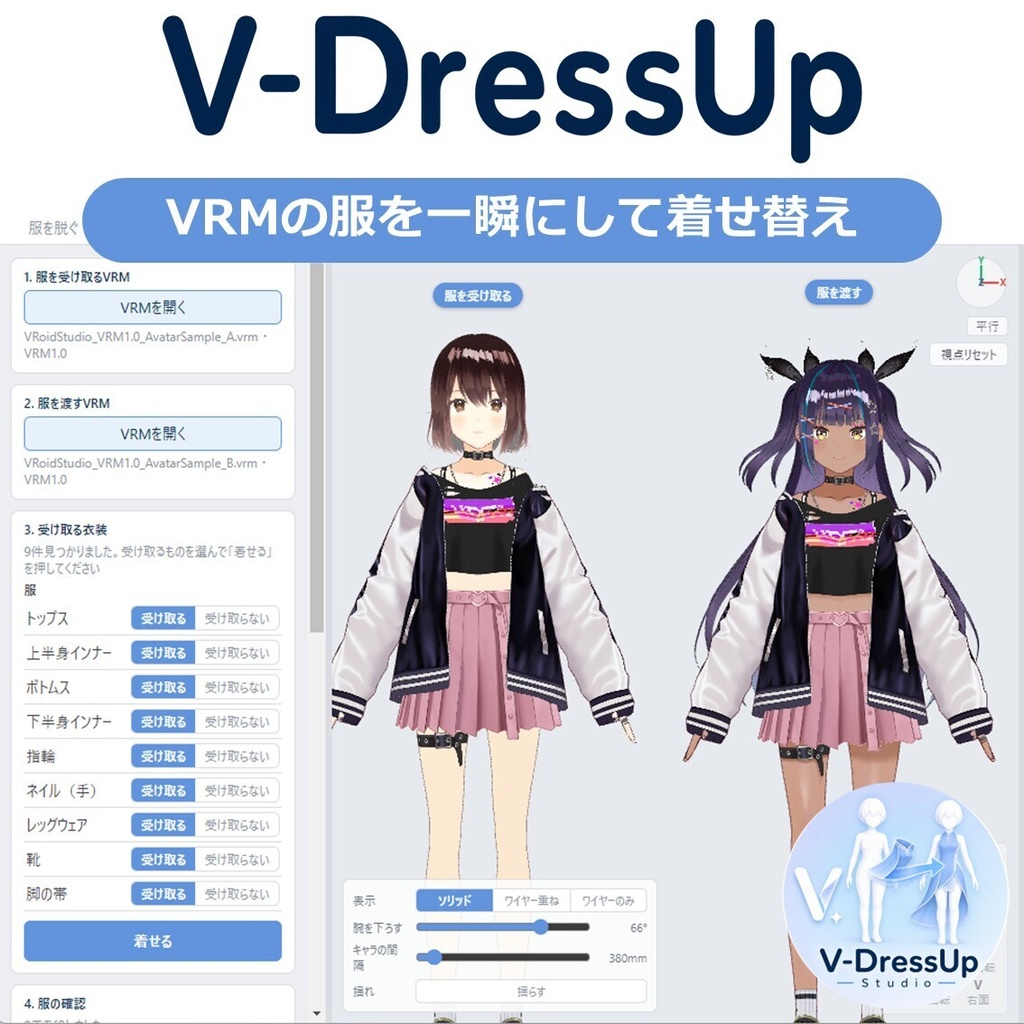
【VRM】V-DressUp Studio あなたのVRMを簡単に着せ替え
- ダウンロード商品¥ 1,480
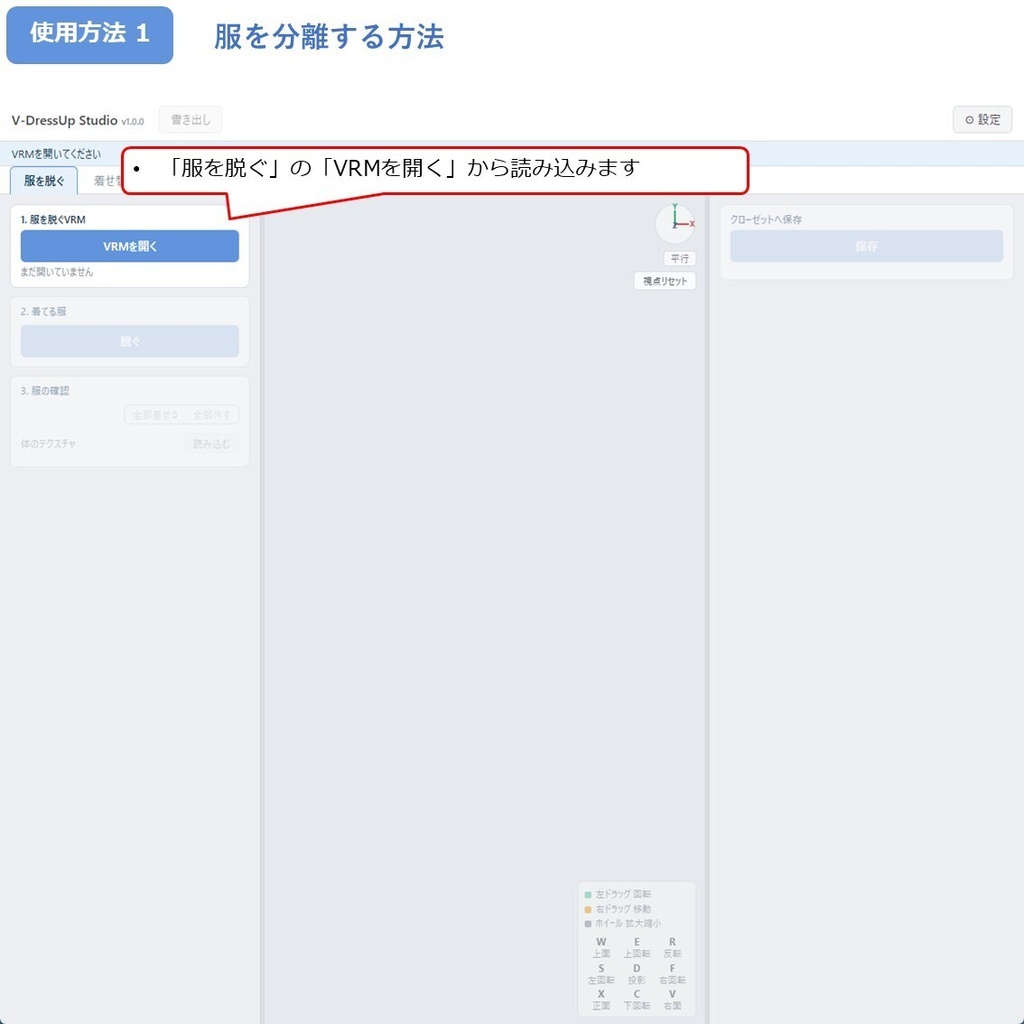
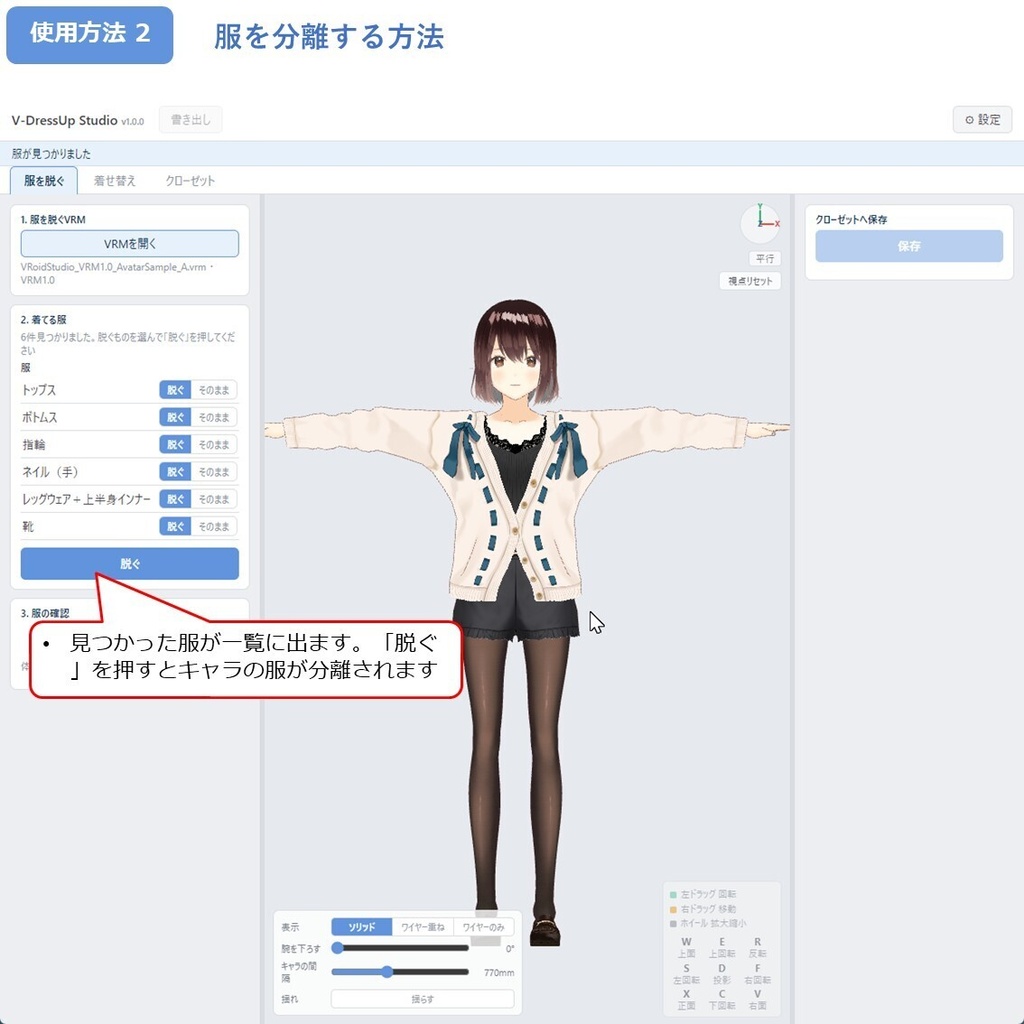
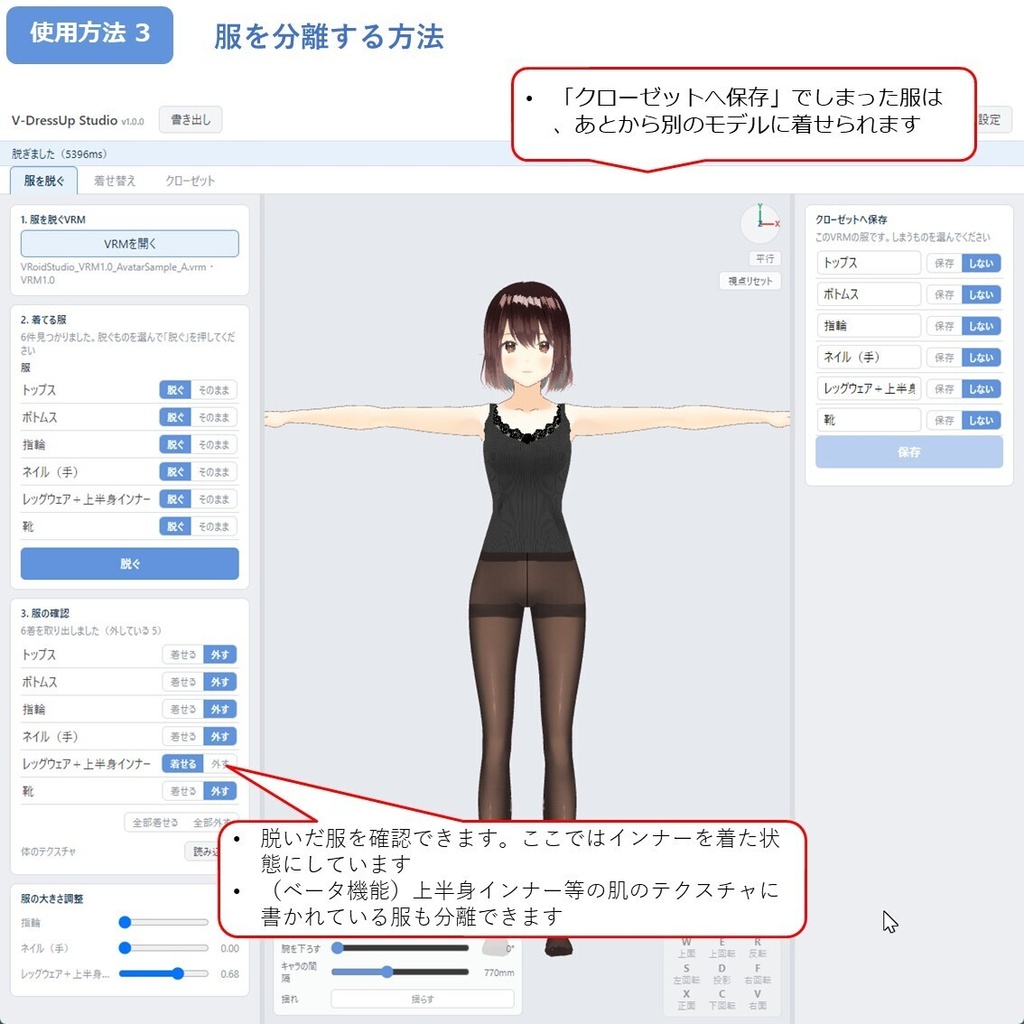
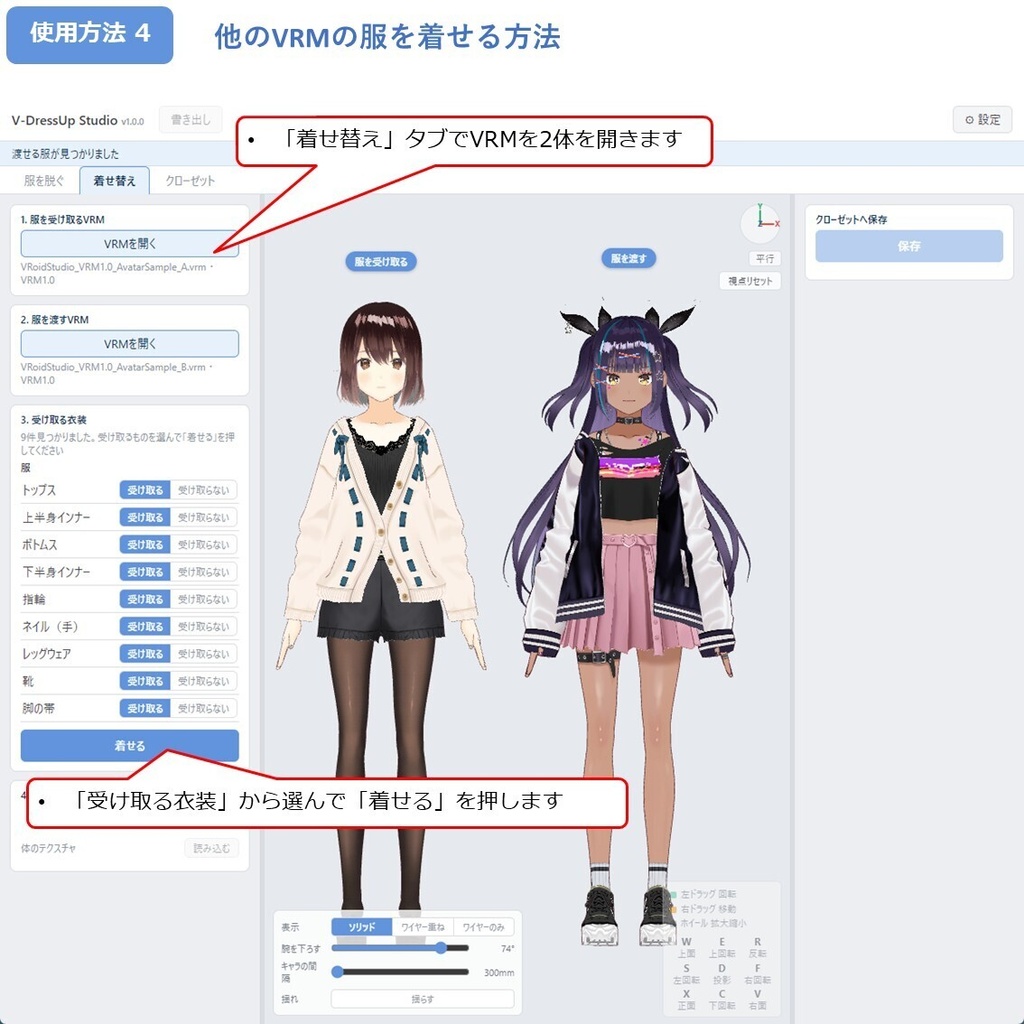
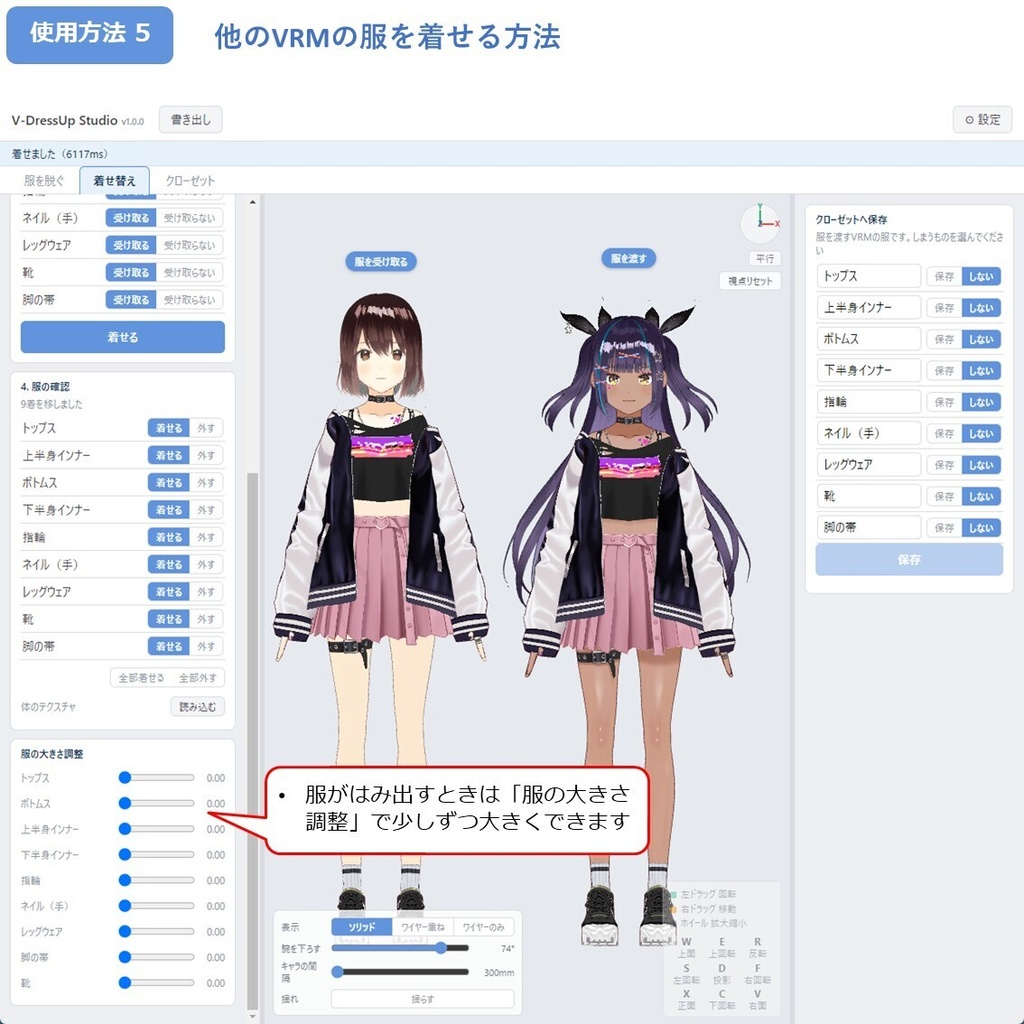
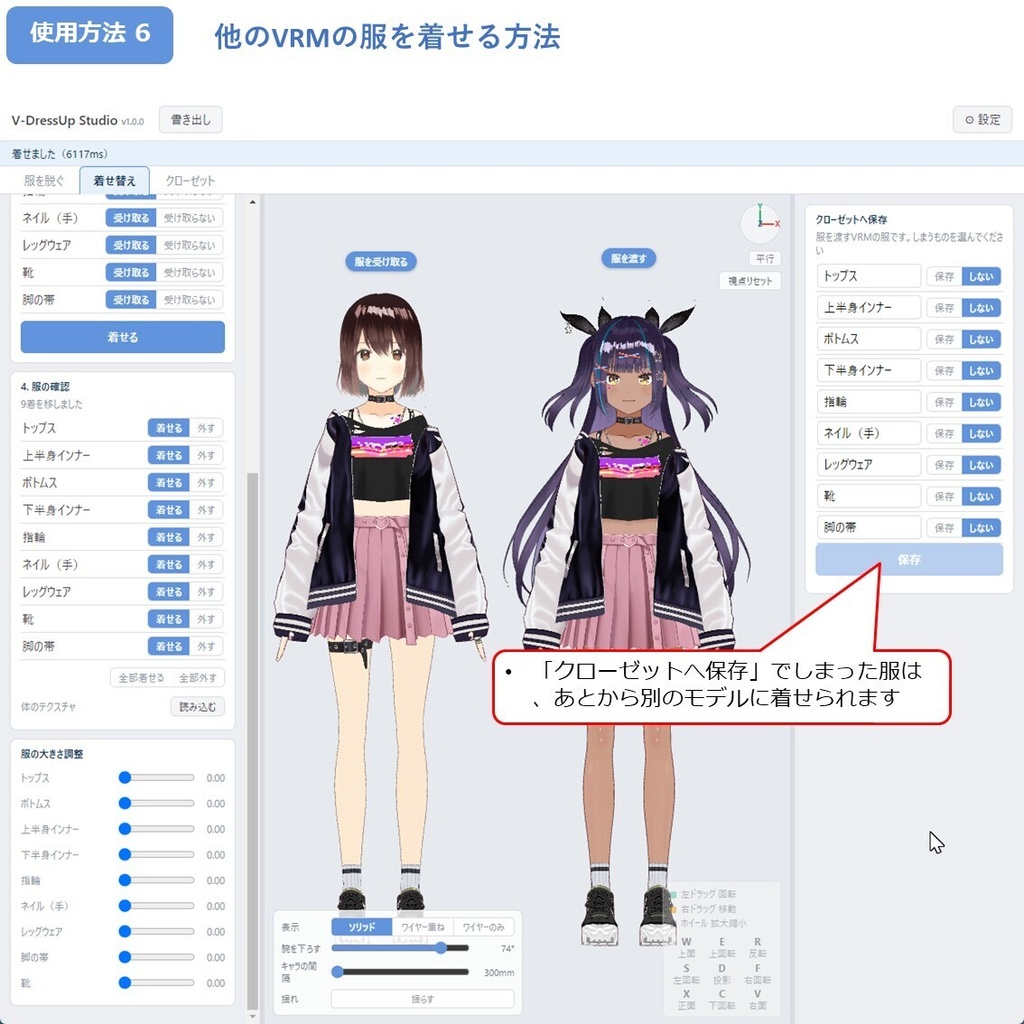
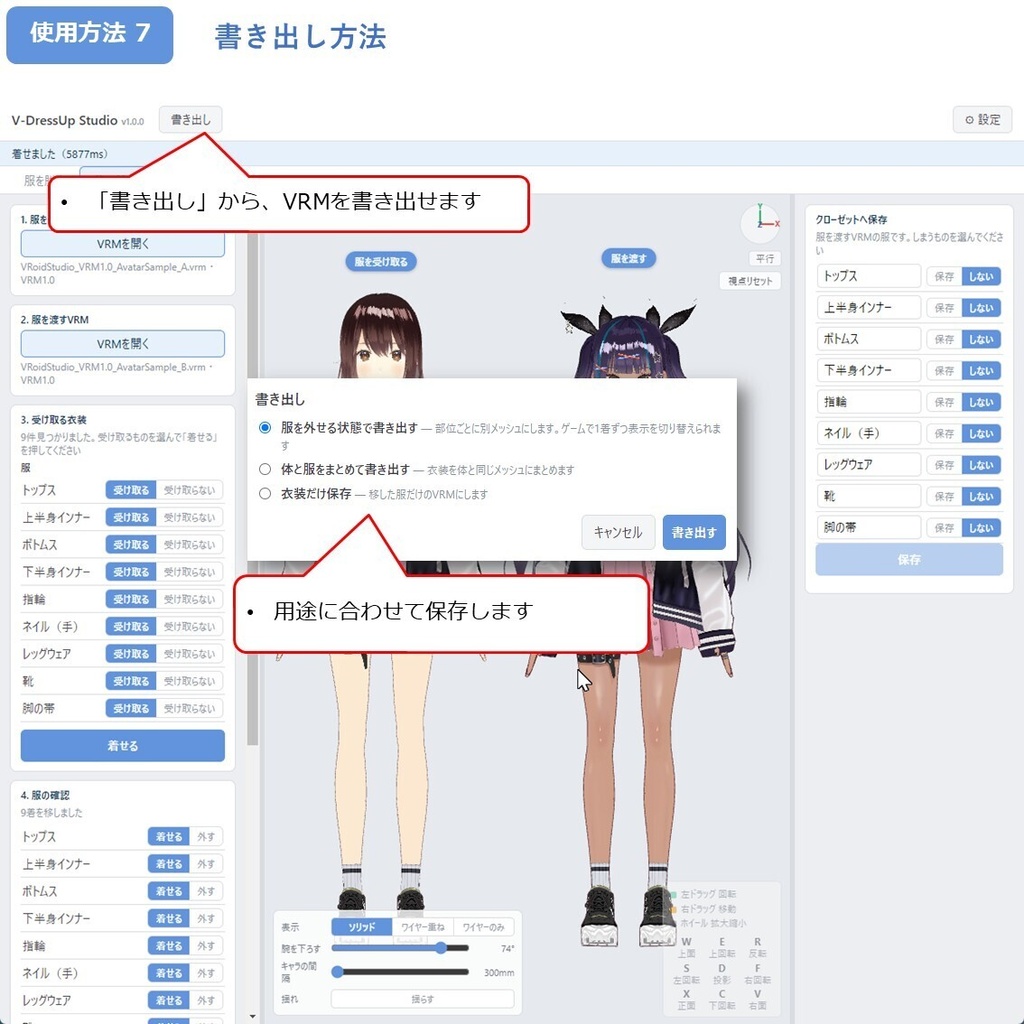
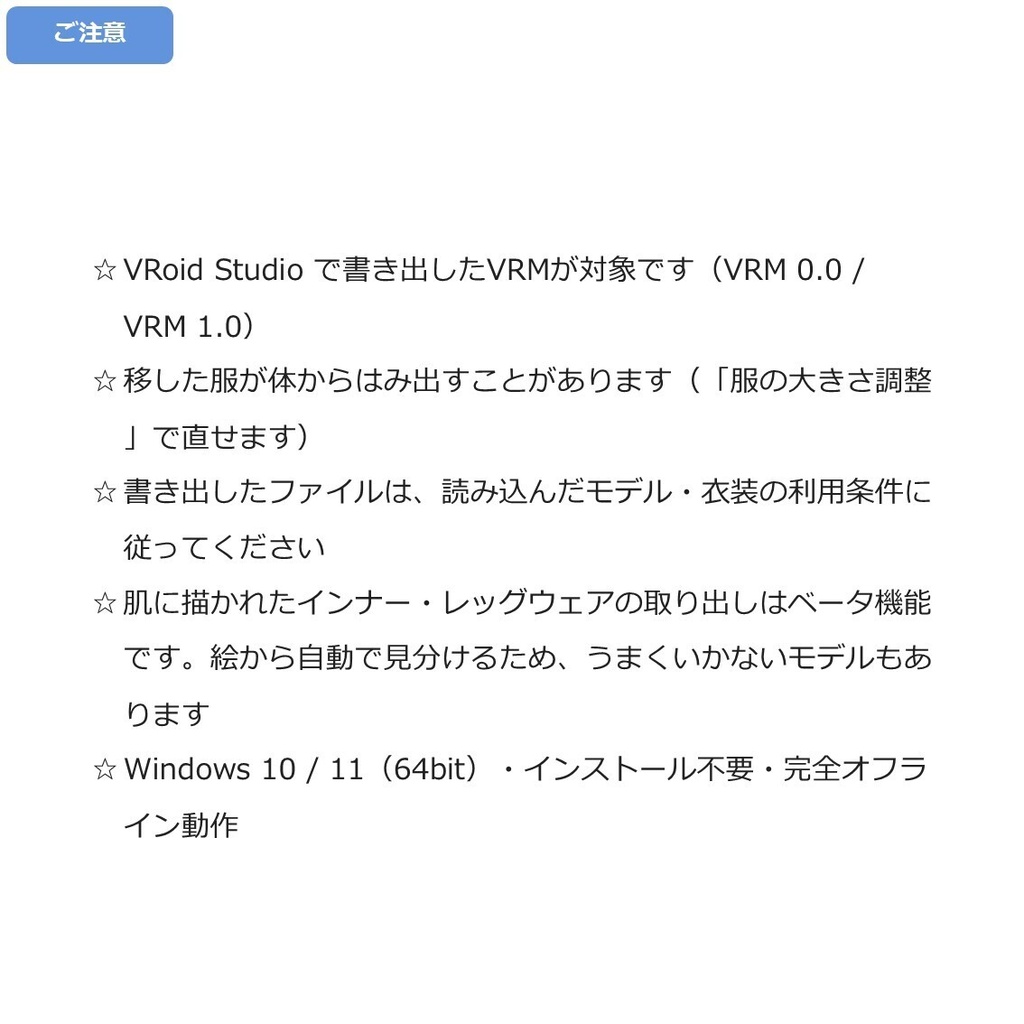
◆商品概要 お気に入りの服を、別の子にも着せたい。 この服だけ抜き出して、ゲームで使いたい。 でもVRMで服だけ取り出すのは大変すぎる。 V-DressUp Studioは、VRMから服を脱がせて、別のVRMへ着せ替えできるWindows用ツールです。VRMを読み込んで選ぶだけで、服を外した体と、取り出した衣装が手に入ります。 いちばんの特長は、このアプリだけで、読み込みから書き出しまで完結します。 服の判別も自動です。立体の服だけでなく、VRoidが肌に描いているインナー・レッグウェア・ネイルまで見つけて、名前をつけて一覧に並べます。どれを脱ぐかを選んで、ボタンを1回押すだけです。 着せ替えでは、服が受け取る側の体つきに合わせて形を直ります。スカートや髪の揺れの設定も一緒に運ぶので、着せたあとに揺らして確かめられます。 ☆ 服を1着ずつ外せる形でも書き出せるので、ゲーム制作で表示を切り替えられます。 こんな部品も移せるようにしてほしい、というご要望があれば、Xでフォローいただいてメッセージをください。対応を検討します! ◆使用方法動画 服を脱ぐ: https://x.com/H3Atelier/status/2091405671145341217 服の着せ替え: https://x.com/H3Atelier/status/2091403376676487460 クローゼット: https://x.com/H3Atelier/status/2091406149656699328 ◆主な機能 ・服の自動判別(立体の服+肌に描かれた服) ・服を脱がせて裸素体にする ・別のVRMへの着せ替え(受け取る側の体つきに合わせて変形) ・揺れもの設定(スプリングボーン)の移植 ・クローゼット(衣装を1着ずつ保管して、あとから着せる) ・ヒールの着せ替え(足が靴に合わせて変わり、脱がせば元どおり)★1.1.0 ・しっぽなどのアクセサリの移動(形そのまま)★1.1.0 ・「一部だけ脱いだ状態」の書き出し ★1.1.0 ・服の大きさ調整スライダー(服ごと・靴も) ・体のテクスチャの差し替え ・11通りの書き出し(3つのタブ × 用途別) ・VRM 0.0 / VRM 1.0 の両対応 ・日本語・英語対応 関連アイテムはこちら! 体型を調整してから服を移すと、より自分好みのモデルになります。 【VRM】V-Shape Studio - 163項目の体型調整ツール https://h3a.booth.pm/items/8506445 ◆内容 V-DressUp Studio 本体 取扱説明書(日本語・英語) 利用規約 ◆使用方法 かんたんです! 1. ZIPを展開 2. V-DressUp Studio.exe を起動 3. 上のタブから「服を脱ぐ」「着せ替え」「クローゼット」を選ぶ 4. 「VRMを開く」から VRMファイルを読み込み 5. 一覧から脱ぐもの・移すものを選ぶ 6. 「脱ぐ」または「着せる」を押す 7. 右上の「書き出し」から保存 ◆ご注意 ・書き出したファイルには、読み込んだモデルの形やテクスチャがそのまま入ります。配布や販売をお考えの場合は、元のモデル・衣装・テクスチャの利用条件を必ずご確認ください。素体や衣装を単体で取り出して配布することを認めていないモデルが多くあります。 ・服の判別は自動ですが、モデルによっては一部が正しく分かれないことがあります。その場合は一覧で「そのまま」に切り替えてお使いください。 ・移した服が体からはみ出すことがあります。「服の大きさ調整」のスライダーで調整できますが、形が大きく違う組み合わせでは合わないこともあります。 ・肌に描かれた下着・レッグウェアの判別と取り出しはベータ版の機能です。今後のバージョンで変更または削除されることがあります。 ・v1.0.0からアップデートされた方へ:クローゼットにしまった衣装はそのままお使いいただけますが、v1.1.0で足まわりの保存情報が新しくなりました。お手数ですが、靴(とくにヒール)は元のVRMからもう一度しまい直していただくと、新しいきれいな仕上がりで着せられます。 ◆対応環境 OS:Windows 10 / 11 64bit(インストール不要) 対応モデル:VRoid Studio で書き出したVRM 対応形式:VRM 0.0 / VRM 1.0 ◆利用規約 著作権は放棄しておりません。全文は同梱の「利用規約.txt」をご覧ください。 ・書き出したVRMは、個人利用・商用利用ともに可。動画、配信、画像制作、VRChat等でお使いいただけます。 ・クレジット表記:任意 ・本アプリ本体と同梱データの再配布・販売・譲渡・共有、および改変・解析は禁止です。 ・書き出したファイルの配布・販売については、上の◆ご注意と、同梱の利用規約 第4条をご覧ください。 ◆サポート 不具合のご報告・ご質問はBOOTHメッセージよりご連絡ください。表示されたエラーメッセージを添えていただけると助かります。個別のモデルや衣装そのもののサポートは行っておりません。 ◆更新履歴 2026年8月28日 v1.1.0 ヒール対応・しっぽの移動・「一部だけ脱いだ状態」の書き出しを追加 2026年8月23日 v1.0.0 --- ◆About You want your favourite outfit on another character. You want just that outfit, pulled out for a game. But pulling just the outfit out of a VRM is far too much work. V-DressUp Studio takes clothes off a VRM and puts them on another. You get the bare body and the outfit as separate files. Everything from loading to export happens in this one app. Clothing is found for you: mesh clothing plus the inner wear, legwear and nails VRoid paints onto the skin. Each piece is named and listed. Tick what to remove, press one button. Moved clothes are reshaped to fit the new body, and skirt and hair jiggle settings come along, so you can shake the model to check. ☆ Export with each piece removable, so you can toggle outfits in a game engine. Want another part supported? Follow us on X and send a message! ◆How-to video Remove Clothes: https://x.com/H3Atelier/status/2091405671145341217 Change Clothes: https://x.com/H3Atelier/status/2091403376676487460 Closet: https://x.com/H3Atelier/status/2091406149656699328 ◆Main features ・Automatic detection (mesh clothing and clothing painted on skin) ・Undress a model to a bare body ・Dress another VRM, reshaping each piece to fit ・Spring bone (jiggle) settings carried over ・Closet: store outfits and use them later ・High heels: feet reshape to fit, and revert when removed (v1.1.0) ・Tail accessories move over with their shape intact (v1.1.0) ・"Some clothes off" export (v1.1.0) ・Size sliders for each piece worn, shoes included ・Replace the body texture ・Eleven export options across the three tabs ・VRM 0.0 / 1.0, real-time 3D preview ・Japanese and English, runs fully offline Related item! Adjust the body first, then move the clothes. [VRM] V-Shape Studio - body shape tool, 163 sliders https://h3a.booth.pm/items/8506445 ◆What you get V-DressUp Studio, the manual (Japanese / English) and the terms of use. ◆How to use 1. Extract the ZIP, start V-DressUp Studio.exe 2. Pick a tab: Take off / Dress up / Closet 3. Load a VRM with "Open VRM" 4. Tick what to remove or move, press "Take off" or "Put on" 5. Save from "Export" at the top right ◆Please note ・Exported files contain the shapes and textures of the model you loaded. Before sharing or selling them, check the terms of the original model, its clothing and textures. Many models do not allow a base body or outfit to be extracted and shared alone. ・Detection is automatic, but a piece may not separate correctly on some models. Switch that row to "Keep". ・Moved clothes may poke through the body. The size sliders help, but very different shapes may not fit. ・Detecting and extracting underwear and legwear painted on the skin texture is a beta feature. It may be changed or removed in a future version. ・Updating from v1.0.0? Saved closet outfits still work, but v1.1.0 stores new foot data. Please re-save shoes (especially heels) from the original VRM to dress with the new, cleaner feet. ◆Supported environment Windows 10 / 11 64-bit, no install. VRM 0.0 / 1.0 from VRoid Studio. ◆Terms of use Copyright is not waived. Full text is in the included "利用規約.txt". ・Exported VRM files: personal and commercial use OK (videos, streaming, images, VRChat). ・Credit: optional ・The app and its bundled data may not be redistributed, sold, shared, modified or analysed. ・For sharing or selling what you export, see Please note and Article 4 of the terms. ◆Support Please use BOOTH messages and include the error shown on screen. We cannot support individual models or outfits. ◆Update history 28 August 2026 v1.1.0 Added high heels, tail accessories and the "some clothes off" export 23 August 2026 v1.0.0