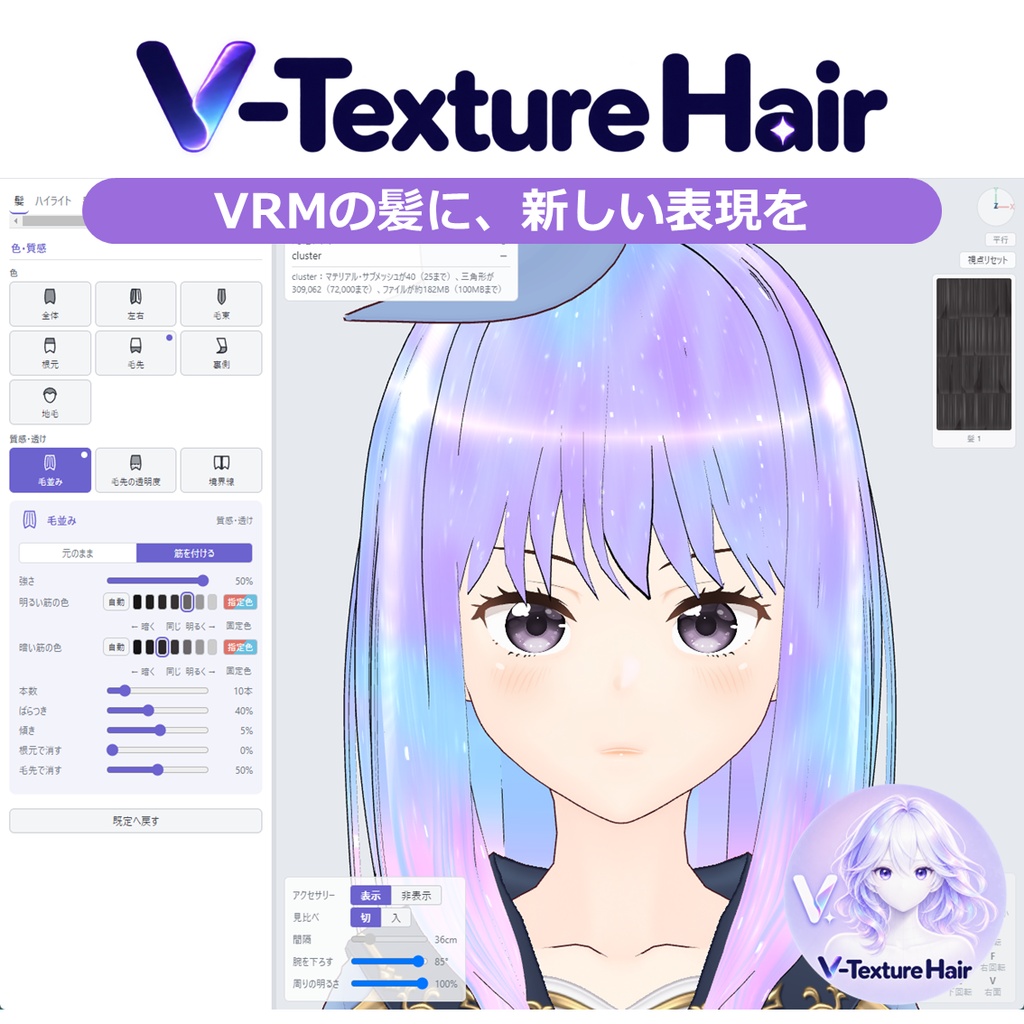
【VRM】V-Texture Hair VRMの髪に新しい表現を
- ダウンロード商品¥ 980
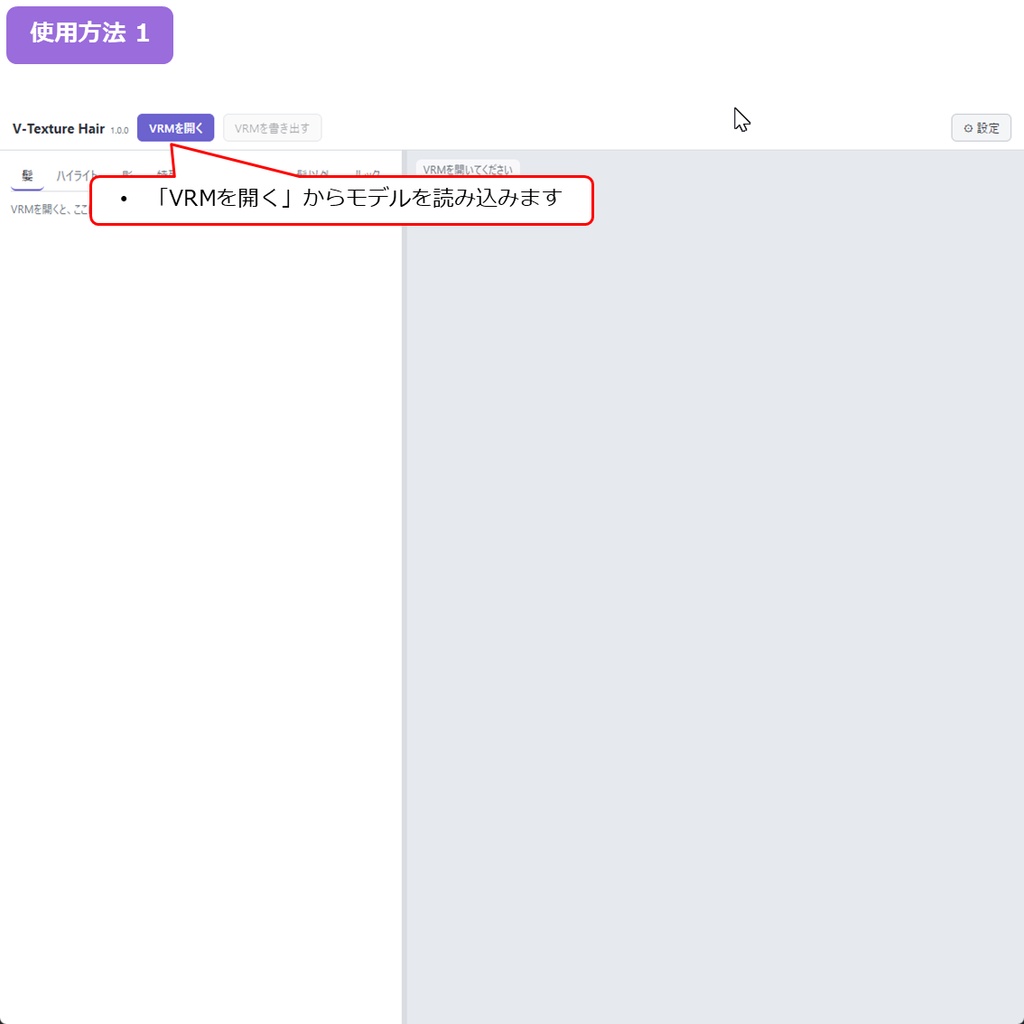
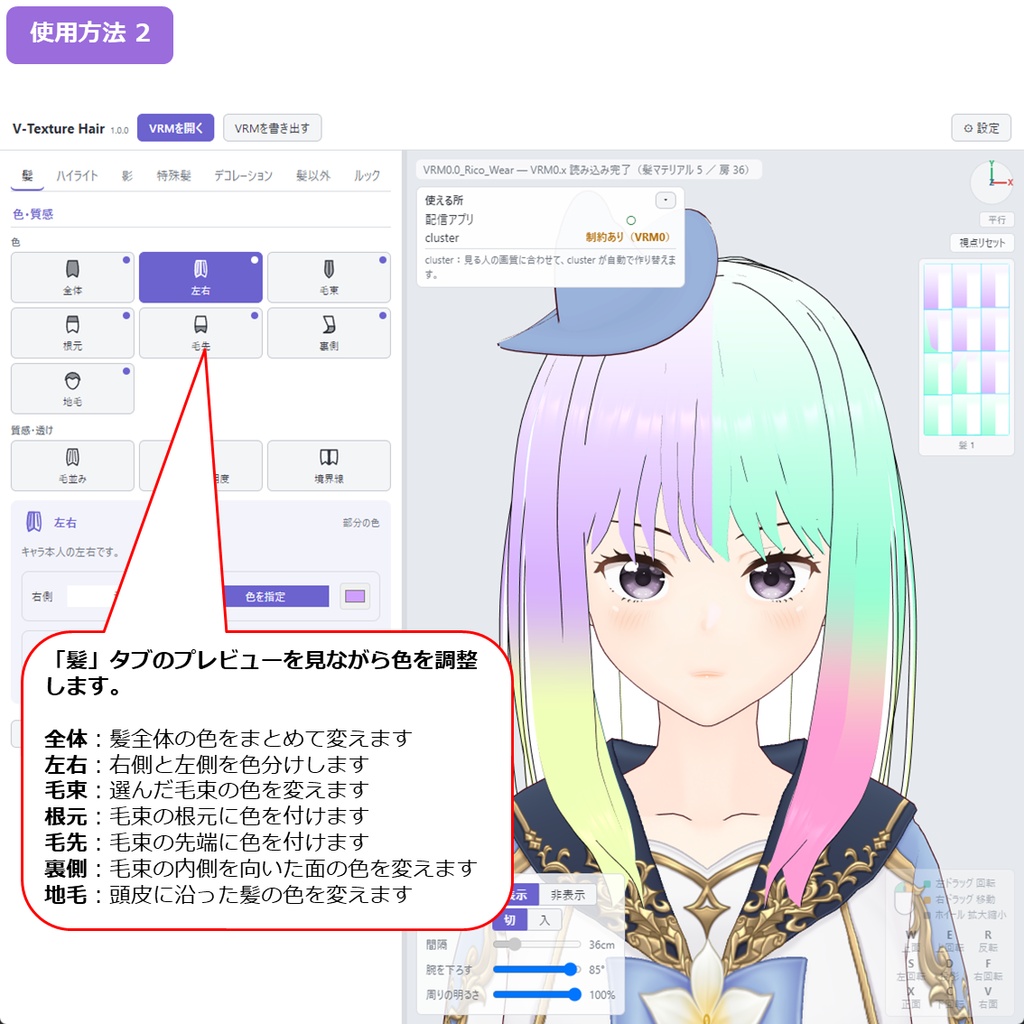
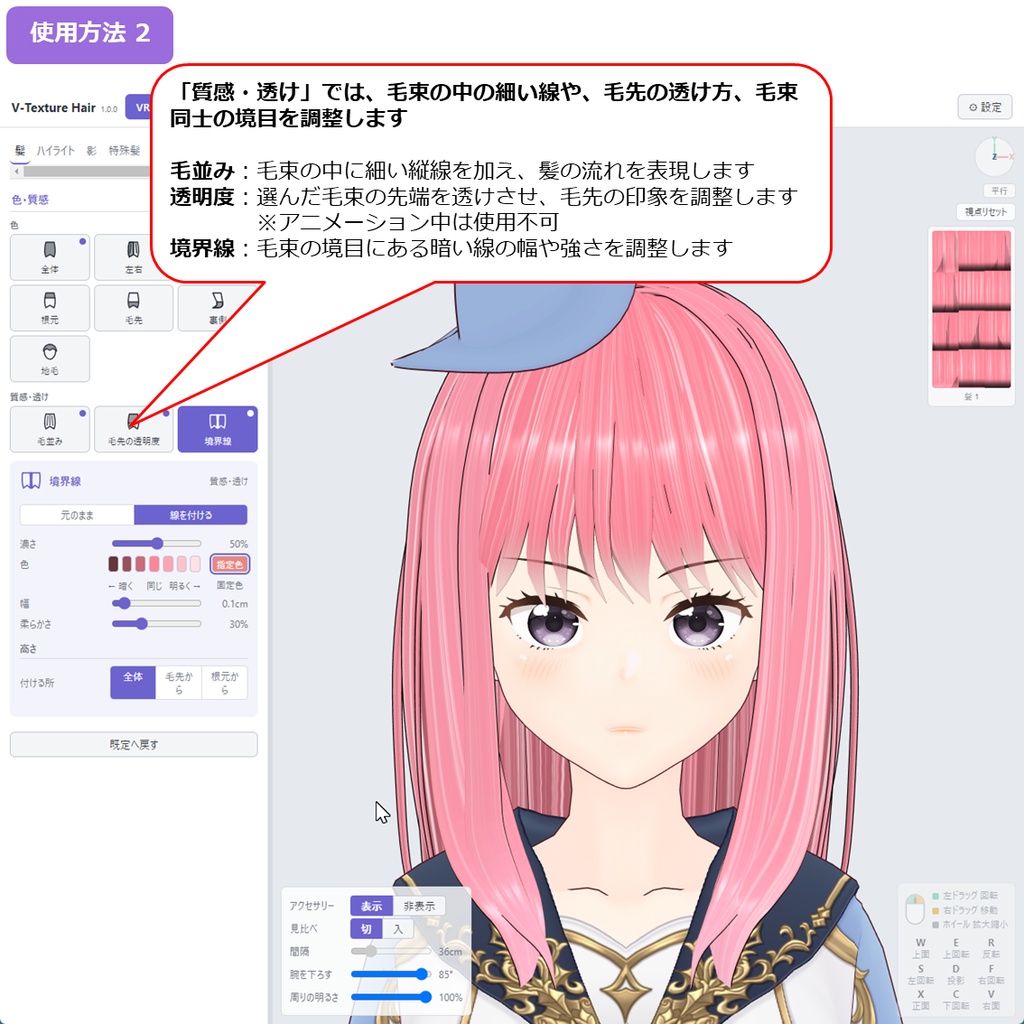
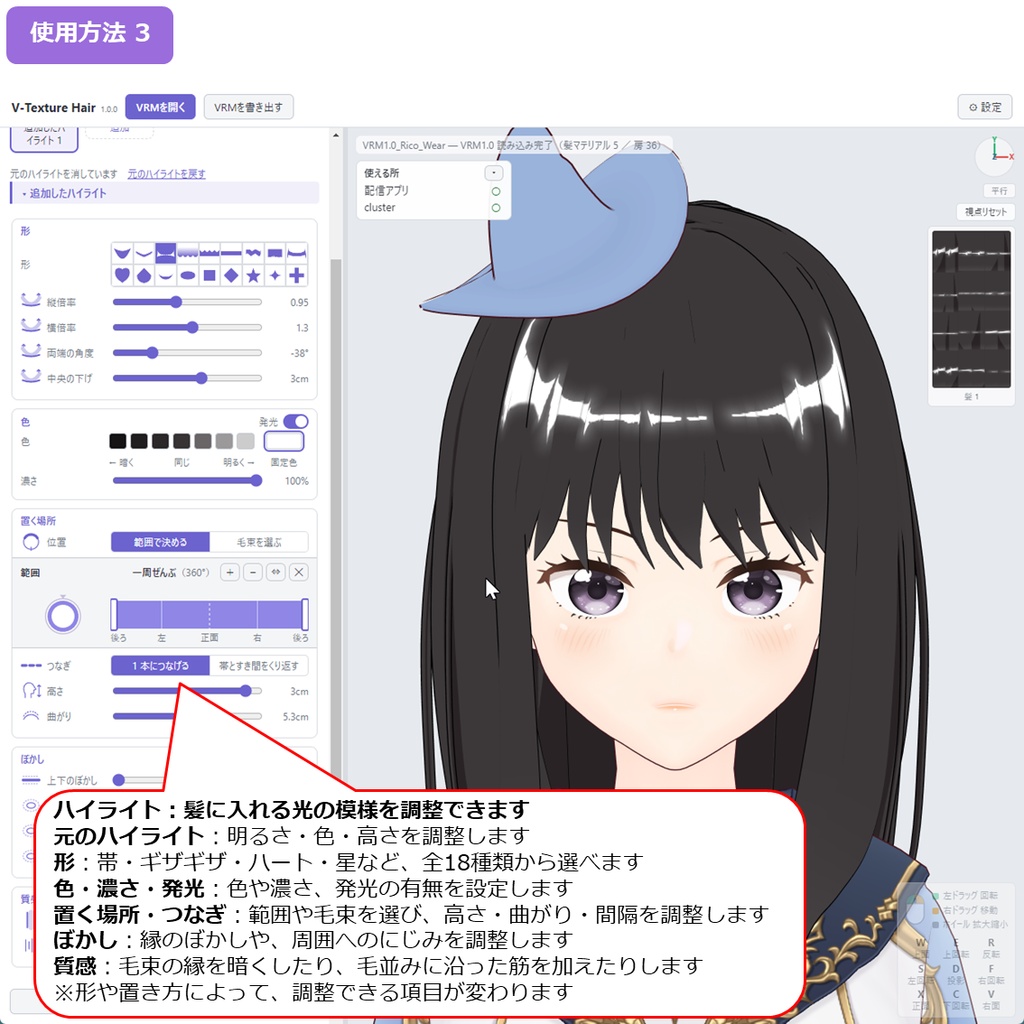
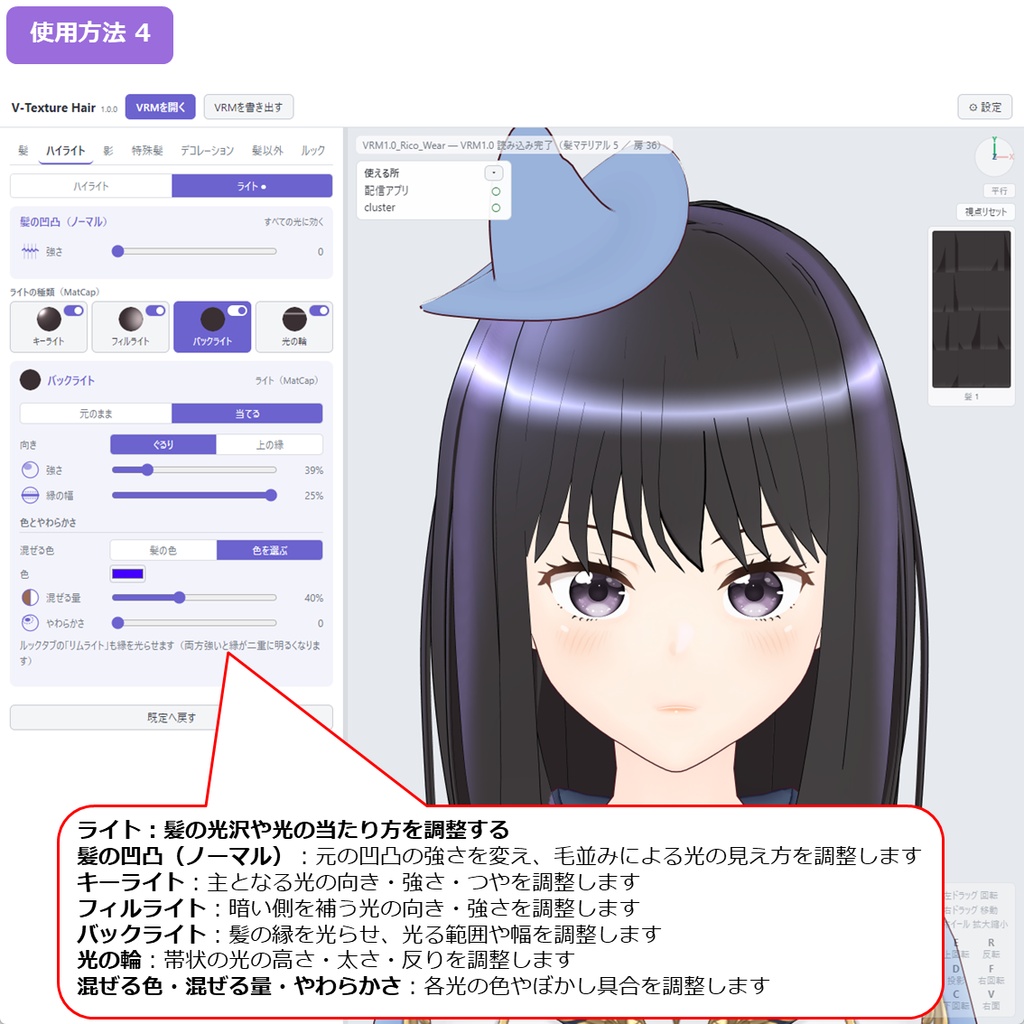
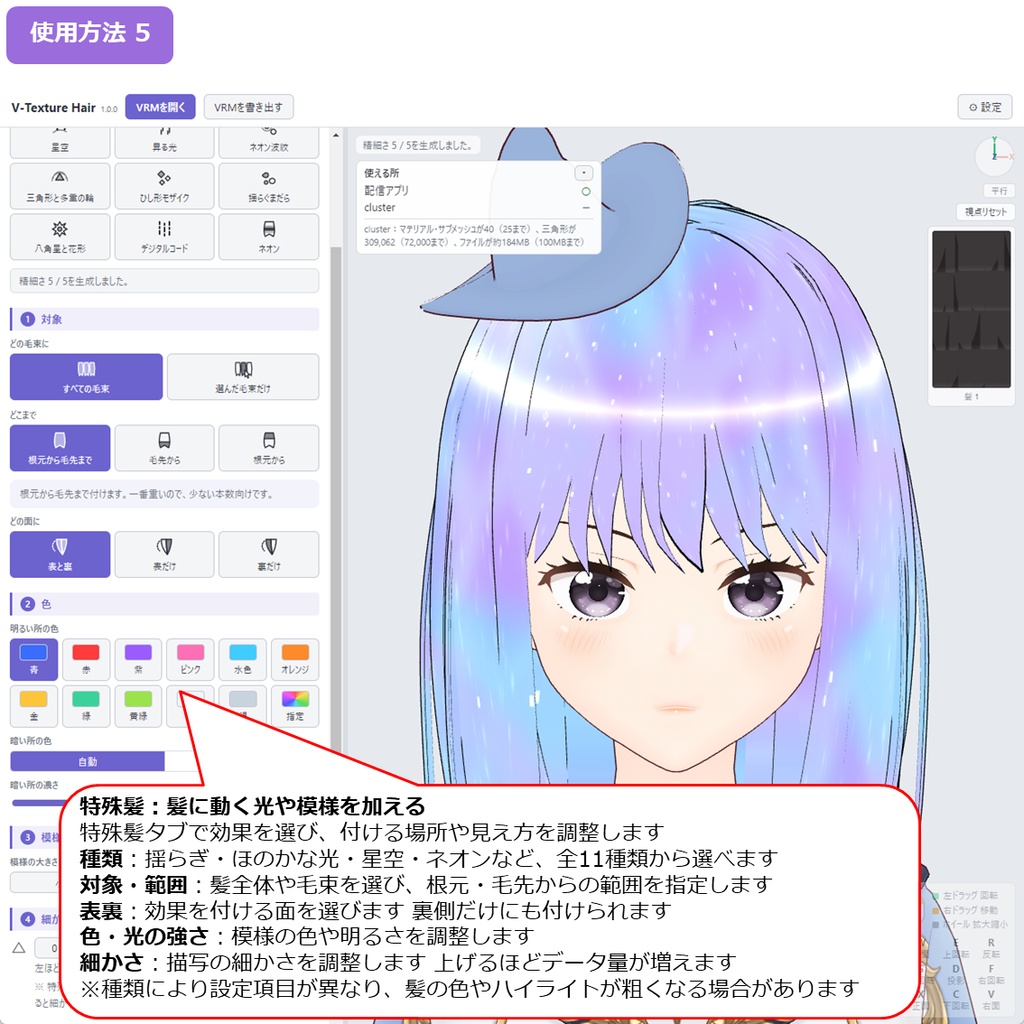
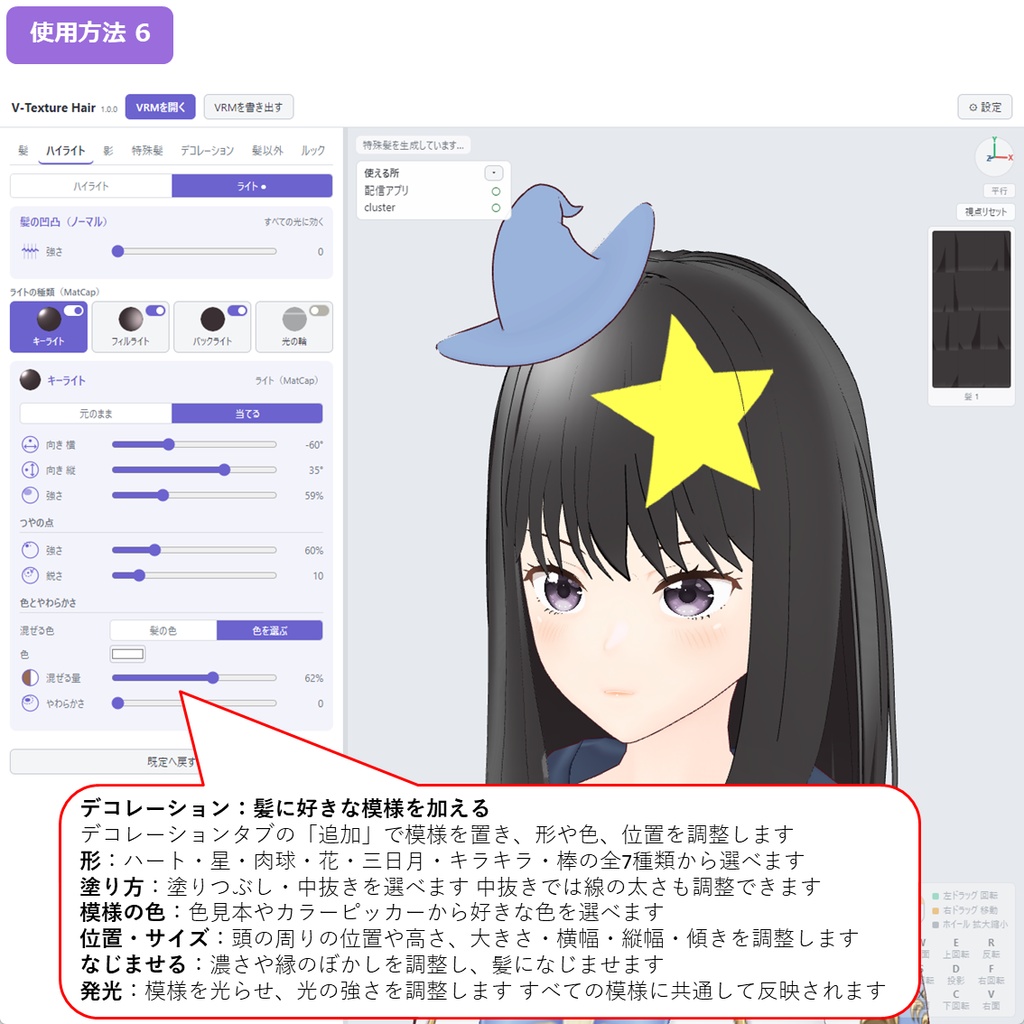
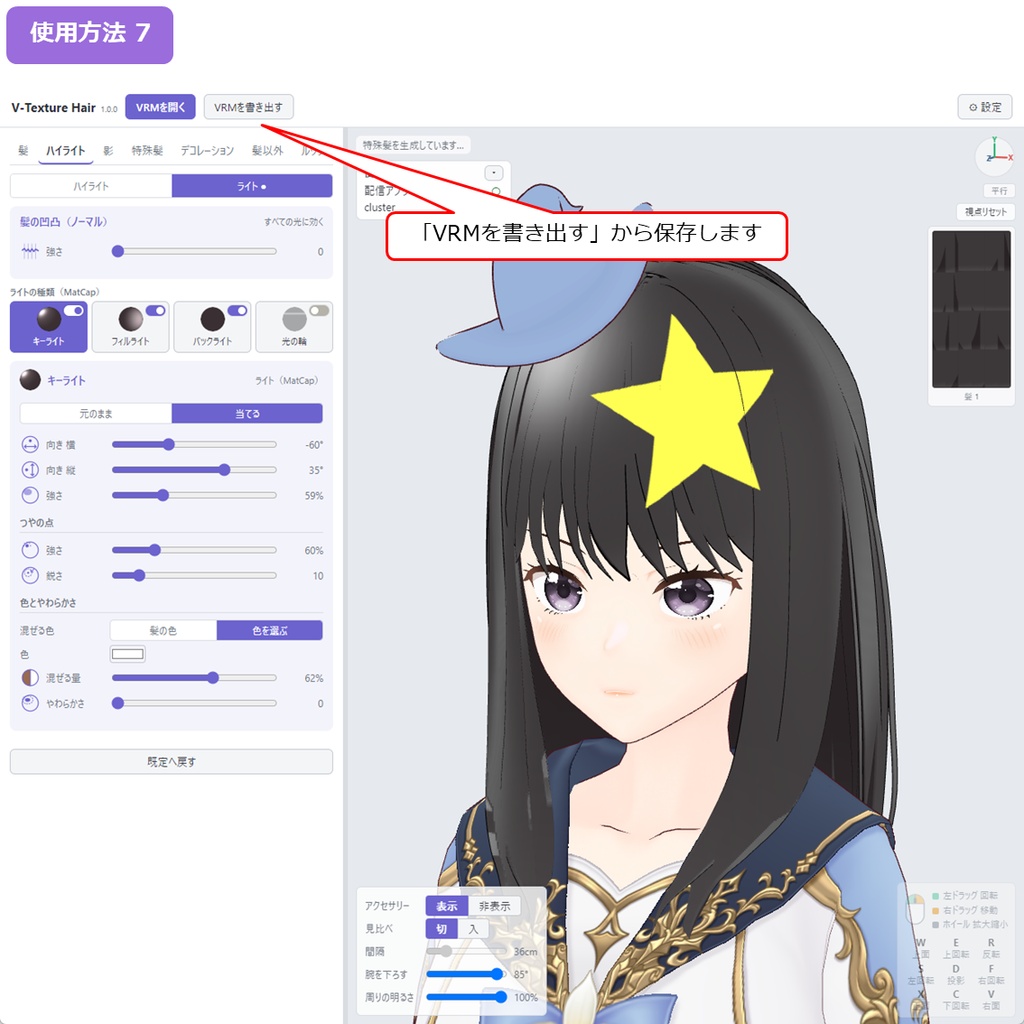
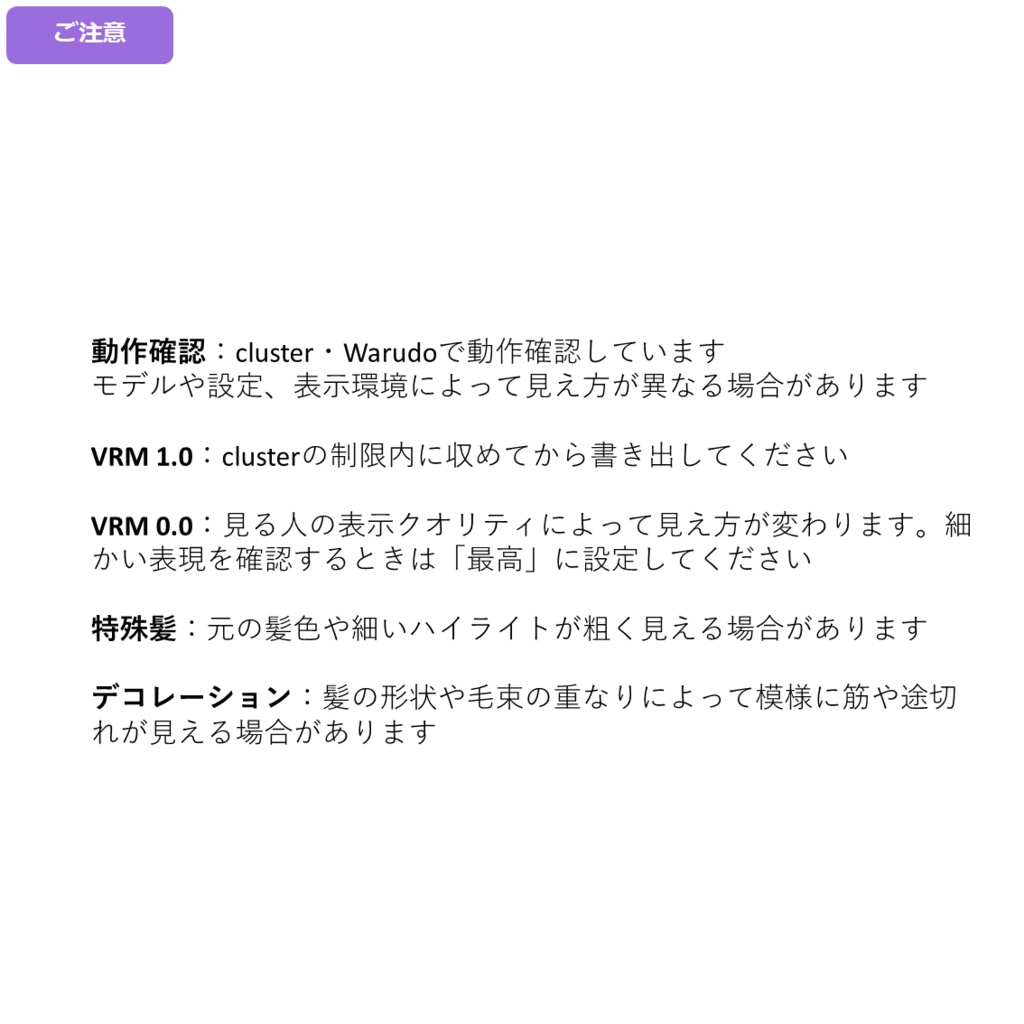
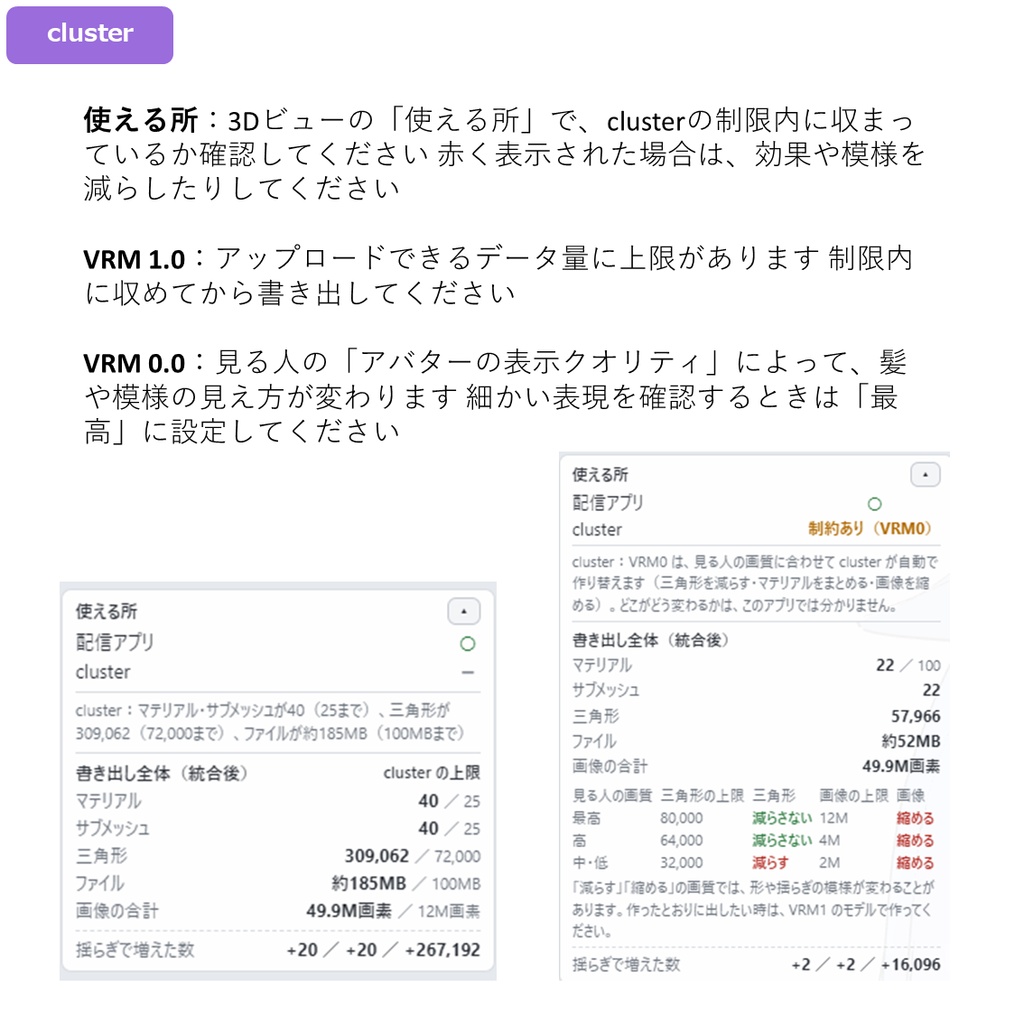
発売記念価格:980円(発売から11月19日まで) 通常価格:1,480円 VRMの髪に、新しい表現を。 水の揺らぎ、星空、光るネオン。髪に動く模様をまとわせたり、ハートや星を飾ったり。髪色も、ハイライトも、自分好みに。 V-Texture Hair は、VRoid Studio製VRMの髪を加工するWindows用アプリです。 3Dプレビューを見ながら調整し、VRMのまま書き出せます。Unityでの設定や、画像編集ソフトでテクスチャを描く作業は不要です。 ◆動く模様で、幻想的な髪に 水の揺らぎ、星空、ほのかな光、デジタルコード、ネオンなど11種類。 髪全体だけでなく、選んだ毛束や毛先にも付けられます。表側・裏側・両面を選べます。 動く模様を含めてVRMへ書き出せます。 ◆ハートや星を、髪のアクセントに ハート・星・肉球・花・三日月・キラキラ・棒の7種類。 位置・大きさ・色を調整し、塗りつぶし・中抜き・発光も選べます。 ◆髪色を、変えたい場所だけ 全体・左右・毛束・根元・毛先・裏側を分けて色を調整。 3D画面で毛束を選んでメッシュを入れたり、内側にインナーカラーを付けたり。 元の髪のテクスチャを生かし、毛並みや毛先の透け具合も調整できます。 ◆ハイライトで、髪の印象を変える 頭を囲む帯から、毛束ごとのハートや星まで18種類。 高さは「髪のてっぺんから何cm」で指定するため、長さの違う毛束でもそろえられます。 色・大きさ・ぼかし・発光を調整し、複数重ねることもできます。 ◆影やライトも調整 影の位置・色・形、キーライト・フィルライト・バックライト・光の輪、輪郭線やリムライトを調整できます。 猫耳を髪と同じ色にしたり、リボンを加工対象から外したりすることもできます。 ◆使い方 ZIPを展開し、「V-Texture Hair.exe」を起動 「VRMを開く」からモデルを読み込み 各タブで髪を調整 「VRMを書き出す」から保存 各タブの使い方 特殊髪:https://x.com/H3Atelier/status/2120466899830296608 髪:https://x.com/H3Atelier/status/2120471351207366773 ハイライト・ライト:https://x.com/H3Atelier/status/2120845255390212117 デコレーション:https://x.com/H3Atelier/status/2120847525792137589 ◆対応環境・内容 Windows 10 / 11(64bit)。インストール不要。 VRoid Studio製のVRM 0.x / 1.0が対象。日本語・英語UI対応。 本体・取扱説明書(日英)・利用規約を同梱。アバターモデルは別途ご用意ください。 ◆ご購入前に ・モデルの構造により、色の境界や模様が意図した配置にならない場合があります。 ・特殊髪では髪の色や細いハイライトが粗く見える場合があります。「細かさ」を上げるとデータ量・描画負荷も増えます。 ・ネオンなどでは元の透明部分や毛先の見え方が変わる場合があります。 ・利用先の容量・モデル制限を超える場合があります。「使える所」は目安で、アップロードや表示を保証しません。 ・動きや見え方は利用先のアプリ・照明・表示設定で異なります。cluster・Warudoで動作確認しています。clusterの表示検証は品質「最高」で行っています。 ◆加工したモデルの利用について 個人・商用利用、加工した髪を組み込んだモデルの販売・配布、依頼を受けての加工に利用できます。 テクスチャや特殊髪・デコレーションの素材単体での販売・配布は禁止です。元のアバターや素材の利用条件もお守りください。 クレジットは任意です。詳細は本商品の利用規約をご確認ください。 ◆お問い合わせ BOOTHのメッセージからご連絡ください。不具合の際は、使用モデル・発生状況・画像と、設定からコピーできる「診断情報」をお送りください。 Launch price: JPY 980 for the first week. New ways to express yourself through VRM hair. Regular price: JPY 1,480. V-Texture Hair is a Windows app for customizing VRoid Studio VRM hair. Adjust it in a 3D preview and export as VRM. No Unity setup or texture painting required. ◆ Animated patterns for a touch of fantasy Choose from 11 effects, including water-like ripples, starry skies, soft light, digital code and neon. Apply them to all hair, selected strands or tips, on the front, back or both sides. Export the animated patterns with your VRM. ◆ Hearts and stars for your hair Seven decorations: hearts, stars, paw prints, flowers, crescents, sparkles and bars. Adjust position, size and color, with filled, outline and emissive options. ◆ Color just the areas you want Color the whole head, left/right sides, strands, roots, tips or undersides. Select strands in 3D for colored streaks or an inner color. Work with the original texture and adjust hair grain and tip transparency. ◆ Change the look with highlights Choose from 18 shapes, from bands around the head to hearts and stars. Set height in centimeters from the top of the hair to align strands of different lengths. Adjust color, size, blur and emission, and layer highlights. ◆ Shadows and lighting Adjust shadow position, color and shape; key, fill, back and ring lighting; outlines and rim lighting. Match cat ears to your hair color or exclude ribbons from editing. ◆ How to use Extract the ZIP and run V-Texture Hair.exe. Open your VRM. Customize the hair in each tab. Export your VRM. Tab guide links are listed above. Special Hair Effects: https://x.com/H3Atelier/status/2120466899830296608 Hair: https://x.com/H3Atelier/status/2120471351207366773 Highlights & Lighting: https://x.com/H3Atelier/status/2120845255390212117 Decorations: https://x.com/H3Atelier/status/2120847525792137589 ◆ Requirements and contents Windows 10 / 11 (64-bit). Portable app. For VRoid Studio VRM 0.x / 1.0 models. Japanese and English UI. Includes the app, Japanese/English manuals and usage terms. Avatar model not included. ◆ Before purchasing • Color boundaries and patterns may vary with the model's structure. • Hair effects can make colors and fine highlights look coarser. Higher Detail increases data size and rendering load. • Effects such as neon may change transparent areas and tips. • Edits may exceed the receiving app's size or model limits. Where it works is an estimate, not an upload or rendering guarantee. • Animation and appearance depend on the app, lighting and display settings. Selected models and settings have been checked in cluster and Warudo. Testing in cluster used its highest quality setting. ◆ Using edited models Personal and commercial use, sale and distribution of models incorporating edited hair, and commissioned editing are allowed. Do not sell or distribute textures, hair-effect or decoration assets on their own. Follow the original avatar and asset licenses. Credit is optional. See the product terms for full details. ◆ Contact Contact us via BOOTH messages. For bugs, include the model, what happened, screenshots and diagnostic information copied from Settings.